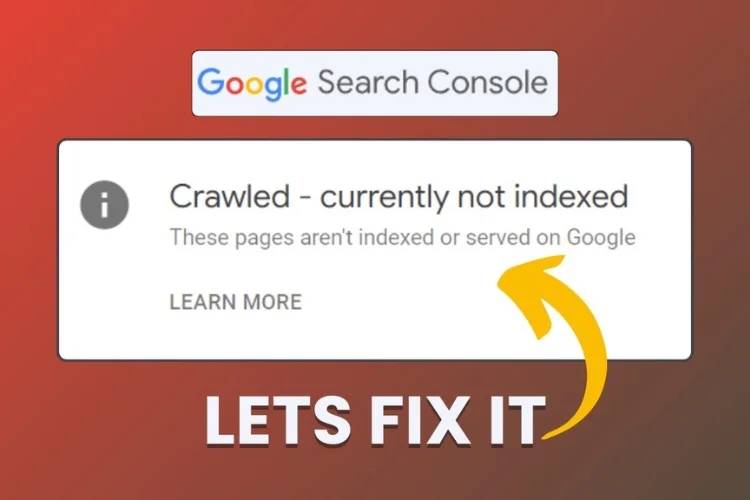
If you happen to handle a website, you must have faced the "Discovered - currently not indexed" error in the GSC.
That can be pretty frustrating because this means Google's search engine has found the page but hasn't crawled or
indexed it yet. The error does not point to your website content being the problem; it does, however, indicate
that there is an issue preventing Google from prioritizing your page for indexing. The following guide will walk
you through what might have caused this issue to appear and offer some effective solutions to resolve it.
What Does "Discovered - Currently Not Indexed" Mean?
Google searches and crawls your site using bots so that the content can be indexed. The "Discovered but not
indexed" status means that Google has found the page, yet it is unable to crawl it. The reason could be anything
from limits in the crawl budget to poor quality of content. To solve this, one needs to find the actual cause
behind such a problem and work to fix it.
To solve this successfully, quality content creation should align with what the user is expecting and with
Google's emphasis on high-quality content. It gives priority to pages that add value, show expertise, and are
unique. If your page contains thin, duplicated, or low-value content, Google may give it less priority. A good
content strategy allows deeper keyword research so your page could be just about what users are looking for and
what Google perceives as relevant.
Pandeipada Common Causes of "Discovered - Currently Not Indexed"
First things first: you'll need to know what is preventing your page from being indexed. Here are some of the most
common causes of this error.
Crawl Budget Limitations
Every site has a crawl budget, which can be explained as the number of webpages Google is willing to crawl in a
certain amount of time. For bigger websites, Google sometimes just doesn't have enough time or resources to crawl
them all, hence marking those webpages as "Discovered—currently not indexed."
Solution:
- You can optimize your crawl budget by removing or minimizing low-priority web pages, such as pages featuring duplicate or thin content that may steal priority from more individual pages. Pay more attention to generating high-quality, unique content, and you will have a better chance at ensuring Google prioritizes more essential pages of your site while crawling or indexing.
- Second, guide your content strategy by user intent. Pages with direct answers to user queries, unique, and providing value are likelier to be crawled and indexed. Google's algorithm favors content serving user needs; thus, making sure that your content is aligned with search intent is critical.
- Last but not least, observe your site's standing with respect to other sites within your niche. If competition churns out something a little better in quality or even with better site structures, Google might replace your pages with theirs. Periodically review your site for changes that would keep it competitive in terms of quality and technical SEO.

Content Quality Issues
Google places far greater emphasis on unique and high-quality content in its indexing pages. If your page is thin
and contains low-quality information or duplicate information like many other web pages, Google will see no
reason to index it. Also, content generated by AI without human editorial judgment or pages that don't address
user needs can fall short of the notice of Google's crawlers.
Google's algorithm tends to target unique, interesting, and highly informative content. If your content closely
resembles others, whether on your own site or someone else's, it risks being labeled redundant. A similar
situation may arise when multiple pages on your website discuss the same content without having created new value
or insights.
Solution:
- Create Unique and High-Quality Content: Make sure each page of your website says something useful to the audience. Google rewards content that fully serves user needs and pain points through comprehensive solutions or in-depth analyses.
- Follow E-A-T Guidelines: Quality improvement also means being in line with Google guidelines on E-A-T: Expertise, Authoritativeness, and Trustworthiness. Having established experts-most likely yourself or your brand-provides well-researched, authoritative content. You can improve trustworthiness by adding credible sources for support and providing transparency throughout your site.
- Consolidate Similar Pages: If there are numerous pages about the exact same general topic, merge them into one more in-depth page. This avoids duplication and may also concentrate authority on a single URL, making life easier for Google when trying to work out which page is most relevant.
- Removal of Duplicate Content: Avoid having several pages of duplicated content or pages with highly similar content. Google has no reason to include different versions of the same information in its indexes. Use canonical tags or redirects to indicate that this is the page to index or remove superfluous duplicates.
- Focus on Rich Content: Rich results, such as images, videos, infographics, or even structured data, provide additional ways to engage users and give them a reason to view your content more. Rich elements add dimension and raise the perceived value of your content.
- Appeal to Pain Points of Users: Create content to solve user problems or appeal to their pain points. Content that meets user intent and offers an active solution is more likely to get indexed and rank well in search results.

Duplicate Content and Canonicalization
Duplicate content can confuse search engines when multiple pages present the same or very similar content. This
is quite an ordinary problem for eCommerce websites since often several pages host similar items. When Google
detects such redundancy, it may not index them because it considers the content redundant and doesn't add
additional value.
Solution:
- Specify the main version of a page with canonical tags so that search engines know which one is of prime importance and should, therefore, be indexed. This also consolidates the ranking signals and avoids penalties for duplicate content.
- Too many pages offering similar or the same information should be combined into one strong page. Use 301 redirects to point duplicate pages to drive traffic to the consolidated version. This not only cleans up your content but also ensures Google focuses its attention on your best-quality page.
Issues with Internal Linking
Google considers pages with no internal links " orphan pages, " and it is very hard for their crawlers to find
and index them. Without other pages linking to them, orphan pages may be missed in the indexing process due to
lesser access and priority.
Solution:
- Make sure all your important pages are internally linked from other high-authority pages of your site. Suppose you have a blog post with fantastic content that you wish Google would index; make sure it's linked from an important page, such as your homepage or a high-ranking article. That will make this page much more visible for crawlers.
- Contextual internal links, which appear in the body of your original content, can give Googlebot some context about the relationships between your pages. Google recognizes these as great connections when including internal links that naturally flow within your content. Let's say you are discussing AI features on one post and link it to another related page on your site that explains AI in more detail. It makes both Google and the users navigate through your content with ease.
- Utilize tools to optimize, leveraging text files where needed. Not sure which pages lack internal links? Great tools such as Screaming Frog or Sitebulb will show orphan pages or poorly linked content. These tools generate detailed reports in text files showing where improvements in your internal linking structure can be made.

Server Issues and Crawl Efficiency
If your server is slow or has regular downtime, Googlebot simply can't crawl your site, which again delays
indexing. Also, if your website has too many URL parameters, useless redirects, or inefficient structures,
Google's resources may be stretched thin, influencing how many pages get crawled.
Solution:
- The only way to achieve good crawl efficiency is through a fast and reliable server. Boosting your server's performance goes a long way toward making Googlebot crawl your site more easily and index more pages. Use caching, Content Delivery Network, and image optimization to keep load times as fast as possible. This aligns with Google's focus on user experience and speed.
- Avoid redundancies and duplicated list URLs - those URLs that confuse the crawlers by avoiding unneeded recent URL parameters. Ensure your site resolves to only one version; for example, prefer either www/non-www or HTTP/HTTPS. In addition, inspect any redirect errors that might be the cause of inefficiency. Also, make clear improvements in the structure of URLs to help Google prioritize the pages on your site during crawling. Correct the redirect errors and correct the proper URL structure in your website.
- Create an updated sitemap index, ensuring that it only contains pages you want crawled. Second, make sure your XML files are well formatted and placed in an accessible sitemap location on your server. By focusing on server performance, reducing unnecessary parameters, and maintaining updated sitemap index files, Googlebot will be able to find the most relevant pages and keep the crawl more effective for larger sites.

Robots.txt and Noindex Tags
Sometimes, it happens because the robots.txt file is badly configured or noindex tags are used incorrectly. Google
will not index pages if your robots.txt file accidentally blocks the crawling of important pages or a noindex tag
is placed accidentally.
Solution:
- Review your robots.txt file to ensure that it doesn't unintentionally block important pages from being crawled by search engines. For example, misconfigured directives might exclude a critical page from crawling. Make sure that the file does not restrict any essential content that needs indexing.
- Direct Googlebot with multiple sitemaps files to pages that should be indexed. Ensure that you submit sitemaps freshly well via Google Search Console. It will enhance the process of indexing when the structure is well-optimized, clear, and present. Check your sitemap formats for their validity occasionally, and ensure they include the correct pages that signal your current site's content. Focus on every individual sitemap.
Step-by-Step Solution for How to Fix the Problem
Let's walk through a step-by-step process to fix this error.
Optimize Internal Linking Structure
Internal links assist Googlebot in crawling through your site more easily. If your key pages have fewer internal
links, Google may not notice them.
To do:
- Adding internal links within your content will help Googlebot find and crawl your content. This is about building links from the authoritative parts of a site to other key content. For instance, you can link from a successful blog or resource page to another important section and make that visible.
- Interlink all major areas of your website and avoid orphaned content areas that do not link to or from other areas. You can easily achieve this by linking all major areas to your sitemap or relevant inner sections. This is especially important on large sites, where sections can be easily left behind.
- Internal linking auditing can be done quite effectively on larger sites with a tool that outputs a text file report. This report will give a good overview of which sections may be underlinked or orphaned in the real world.
Page and Content Quality
Thin content, low-quality content, or duplicate content will generally fail Google's quality test, thereby
negatively impacting a website's visibility in search engine rankings.
Action:
- Review all content and remove low-quality or redundant existing content. Make more effort into regularly enhancing poor content that does not meet the criteria for effective search engine rankings.
- Apply Google Quality Rater Guidelines to your content to ensure it fits their mold. Add value by providing thoughtful, well-researched information that truly serves the user and builds relevance within the search engines.
- Add expert quotes, fresh data, and insight to your high-quality content. Renew or refresh regularly and make sure a broad topic is covered or a particular audience needs are addressed across various formats such as articles, videos, or infographics. That is a great tool for success.
Check and Refine Your Robots.txt File
If the robots.txt file disallows Googlebot to crawl sections of your site, page indexing will not occur.
To do:
- Review your robots.txt file in line with your audience research and marketing strategy to ensure that Google can crawl content
- Make sure the robots.txt file does not disallow essential sections or content. Suppose important content, such as landing pages targeting key search intent or pages optimized for high-priority target keywords, is blocked. In that case, Googlebot won't be able to index them, which can negatively impact your marketing strategy and SEO efforts.
Correct Redirect Issues and Monitor URL Architecture
Improperly set up redirects or issues in URL structures cause crawl inefficiencies, which prevent Google from
crawling all of your pages.
Action:
- Ensure all redirects are correctly implemented and 301 redirects are utilized where necessary. Permanent redirects ensure that the user and search engine have been correctly routed to a given location. This consolidates authority under one URL and prevents the problem of multiple versions of essentially the same page.
- While addressing URL architecture and redirects, keep in mind that creating content with the help of subject matter experts can further boost your site's authority and relevance. Ensuring your content aligns with SEO strategy and targets specific search intents will improve your site's ranking.
Submit URL for Indexing in Google Search Console
After fixing the underlying issues, you can manually ask Google to index your pages using the URL Inspection Tool.
Action:
- Go to your Google Search Console and insert the affected URLs into the URL Inspection Tool. The tool will let you know if the URL is indexed, give a view of problems that might have occurred, and request indexing for sites that had not been indexed earlier.
- If your content comes in various forms, be it blog posts, videos, or graphics, make sure that all of these go well-indexed. Of course, written content may be at the core of your rankings, but rich media has its place in getting user attention while nudging overall ranks. Be sure to include all types of content that add to the user experience and SEO.
Additional Tips to Ensure Indexation Moving Forward
You're resolving the immediate concern, but it's about not having that happen in the future. Here are some more
points you can use to help further improve indexing in the future:
Monitor Crawl Budget and Optimize Crawl Efficiency
Larger sites should ensure their crawl budget is well utilized to ensure key pages are indexed. Eliminating
unimportant pages and facilitating a better site architecture will direct more crawl and index activities towards
the important pages.
Update Your XML Sitemap Regularly
A well-structured XML sitemap can help Google find pages on your website. Make sure your sitemap is fresh and
full of the most important pages.
Use E-A-T Guidelines to Better Rank Content
With E-A-T, Google wants high-quality content that shows expertise, authority, and trust. Review your content
regularly to ensure it follows E-A-T principles.
The "Discovered, currently not indexed" problem can be symptomatic of deeper issues related to the crawlability
of your website, the quality of its content, or its technical setup. By addressing those factors with the steps
above, you'll improve your chances of getting those pages indexed through Google. Ensuring that your website is
optimized with regard to efficiency in crawling and that it has quality content with a clean internal linking
structure are the keys to effective indexing and better results as far as SEO is concerned.
By taking all these steps, you will be able to get rid of the error "Discovered-currently not indexed." In
addition, you will work on improving the general health of your website for better visibility and attraction in
the eyes of Google and users alike.